
Vesta
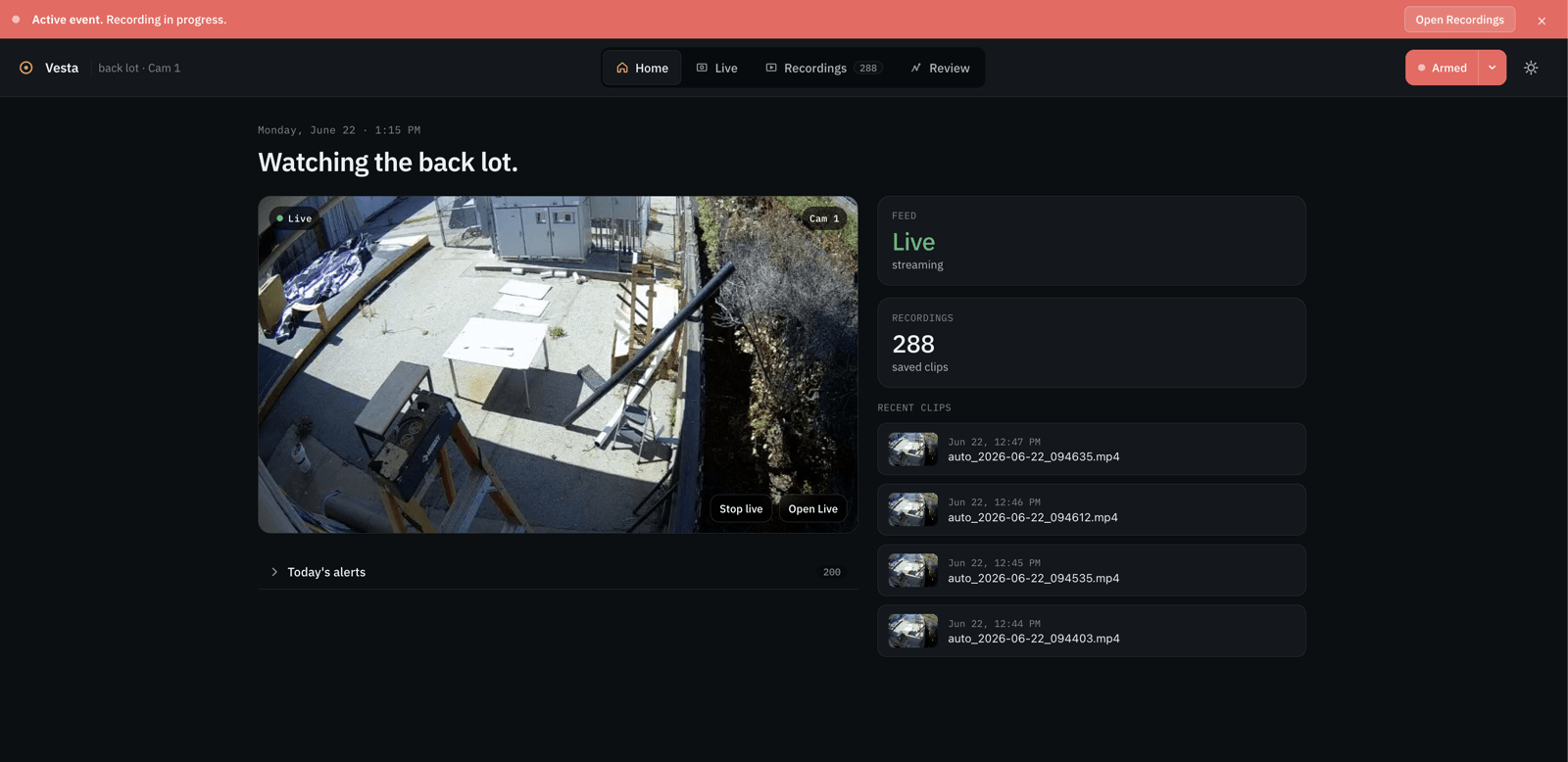
Vesta is a self-hosted, privacy-first surveillance assistant built for schools. It pairs on-device person detection with a local language model that describes what is actually happening on camera, and it never sends video, frames, or captions to any third-party cloud.
Who it is for and the problem
I built Vesta for Stratford Schools and the Spring Education Group. The campus was dealing with ongoing theft, everything from umbrellas to copper piping going missing, and staff needed a real way to investigate what was happening on camera.
The catch was that the cameras watch students, so an off-the-shelf cloud AI camera product was off the table. Spring Education tasked me with building a custom security system that runs entirely on hardware the school owns, with no dependence on the cloud, so that sensitive student footage never leaves the building.
Technologies
- Python
- YOLO for on-device person detection, using the GPU when available with a CPU fallback
- A local llama.cpp vision-language model, served over the OpenAI chat completions protocol
- Flask web UI
- uv for environment and dependency management
Features
- Runs fully localhost-able behind the school firewall, reachable at http://127.0.0.1:33263, with no outbound calls at inference time
- Detects people frame by frame and extracts annotated per-person clips with timestamps
- Builds temporal mosaics, grids of person-only frames sampled across a clip, so the vision model can reason about motion from a single image
- Auto-captions every clip so staff can search recordings by what happened rather than by filename or timestamp
- Auditable by design: uploads, clips, mosaics, and cached outputs all live on disk as plain files you can inspect, archive, or delete


How it works
There are two processes on one host. The browser talks to a Flask UI, which runs YOLO for person detection and calls a local llama.cpp vision-LLM for captions and summaries, writing all uploads, clips, mosaics, and cache to a runtime folder on disk. No outbound network calls are required at inference time.


Development and challenges
- Running YOLO and a vision-LLM together on local, limited hardware without falling behind real time, leaning on the GPU when present and a CPU fallback otherwise.
- Designing the temporal-mosaic step so a single image could capture motion across a clip for the model to reason over.
- Making search genuinely useful by auto-captioning every clip, so staff search by meaning instead of filenames.
- Keeping the entire pipeline offline and auditable, with every artifact stored on disk.
Deployment and handoff
Vesta was implemented at the school and shipped as its first usable release. The full setup is documented in the install guide in the repository.
After I graduated from high school, I handed the project off to a new set of maintainers at the school so it could keep running and improving without me. I stay available to consult when they ask, but day-to-day ownership now belongs to them.
Conclusion
Vesta proved that a school can get the useful parts of an AI camera system, automatic descriptions and search by what happened, while keeping every frame private and on hardware it controls. Building it under a real constraint, no cloud because it involves students, made it one of the most rewarding projects I have worked on.